Private by design. Visual by nature.

See the plan.
Follow every thread.

Build clear horizontal timelines where milestones, intervals, dependencies, variables, and decisions stay connected—without sending your calendar to a server.

  • No account
  • No backend
  • Runs in your browser

Product tourEight capabilities, captured from the current app.

Milestones

Dependencies

Saved views

Auto-compaction

Variables

Local-first

01 / THE WORKSPACE

A timeline that behaves
like a thinking surface.

FateLoom keeps planning close to the diagram. Create, connect, compact, parameterise, inspect, and export the same visual model without bouncing between disconnected tools.

01

Build directly on the timeline

From a single milestone to a multi-year plan.

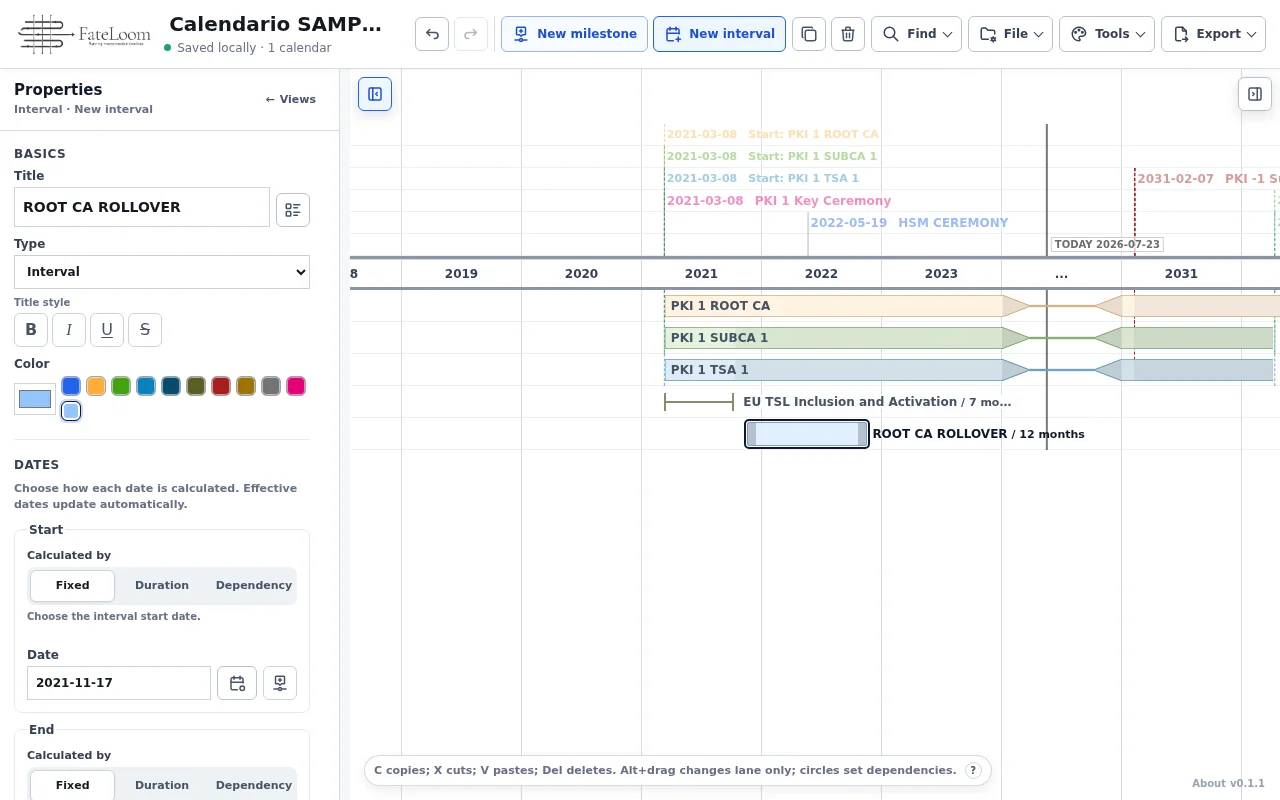
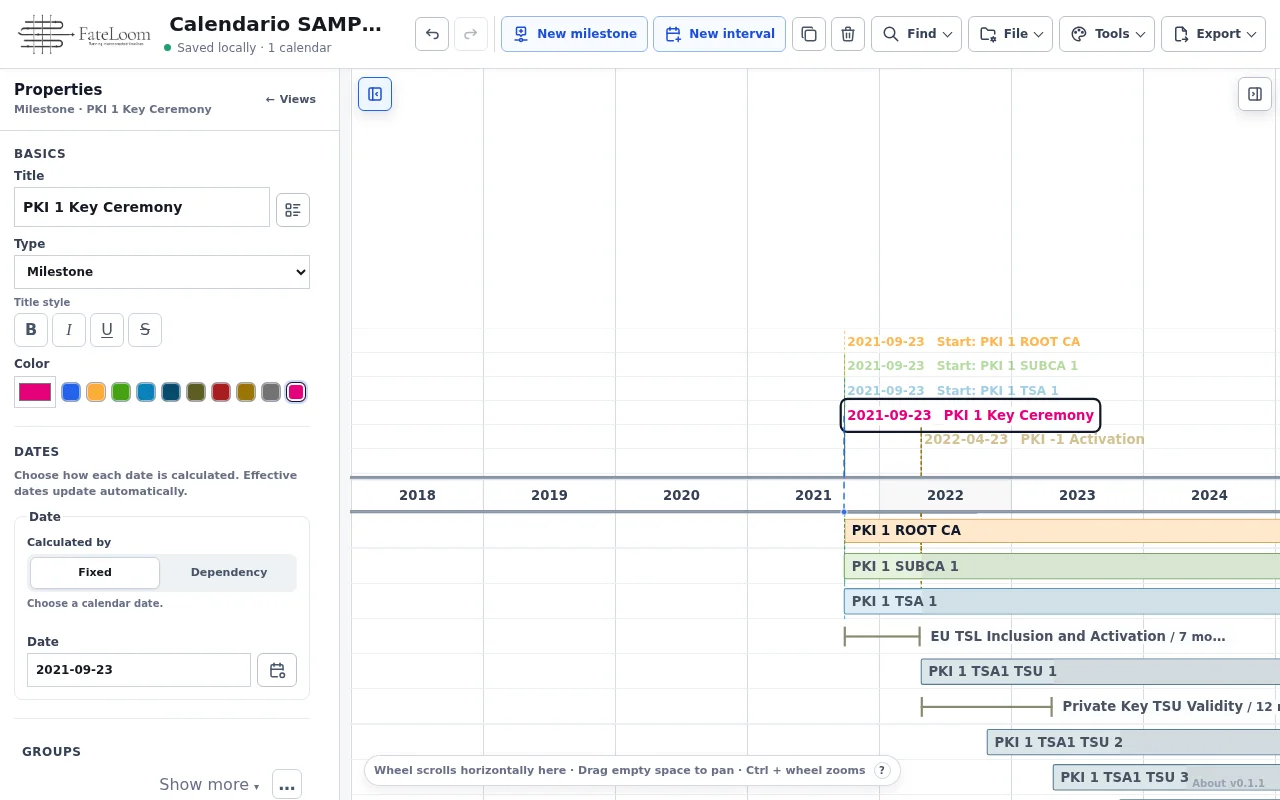
Add milestones and intervals from the header, then edit dates, title, groups, and appearance in context. The diagram responds immediately and every accepted edit joins undo and redo.

  • Milestones and duration bars
  • Direct, contextual editing
  • Undo and redo built in
FateLoom item editor and PKI timeline after creating a rollover interval

Create and edit directly beside the timeline.
02

Make relationships visible

Move the source. Watch the plan follow.

Dates can depend on milestones, interval endpoints, or natural calendar offsets. FateLoom recalculates related items and draws the connection so the reason behind a date stays inspectable.

  • Natural date offsets
  • Incoming and outgoing focus
  • Cycle and range validation
FateLoom showing a selected source interval and its dependent milestone

The diagram keeps dependent dates and their source visible.

03

Shape the view, not the data

One plan. Many useful perspectives.

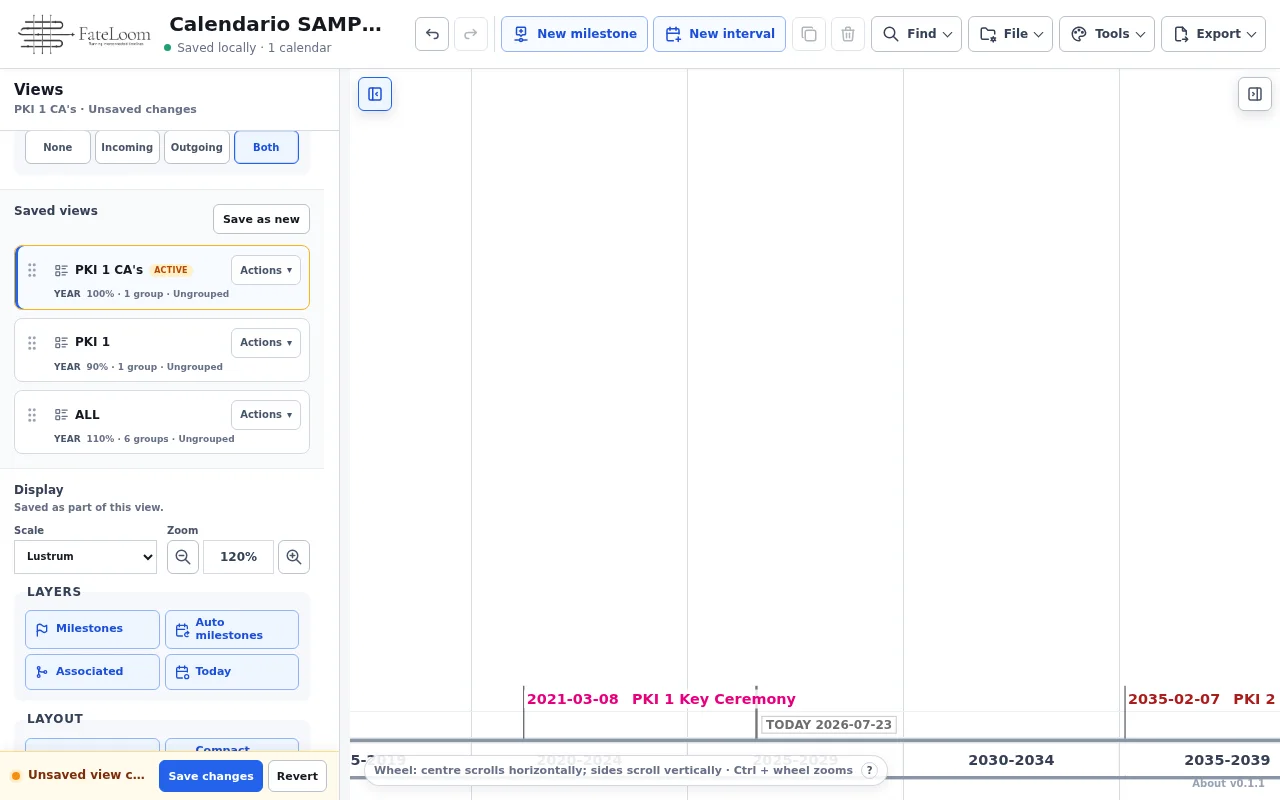
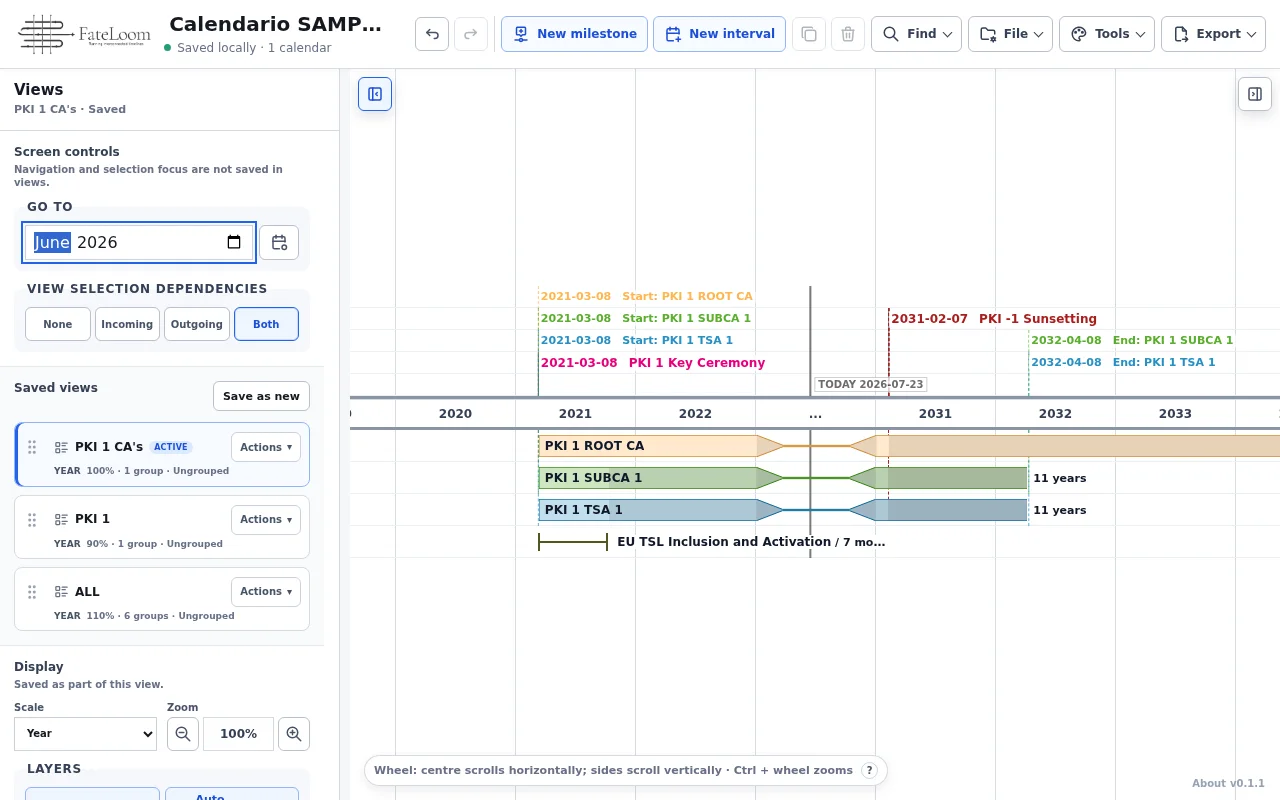
Switch between month, year, lustrum, and day scales. Combine group visibility, zoom, layers, compaction, and dependency focus into saved views without changing the underlying dates.

  • Four time scales
  • Groups and saved views
  • Independent display settings
FateLoom showing saved views, group filters, and timeline scale controls

Change the active scale, groups, and saved perspective.

04

Let space follow the work

Dense where it matters. Folded where it does not.

Viewport auto-compaction repacks timeline lanes around the work currently on screen. Range auto-compaction folds long quiet periods while preserving the real dates and relationships underneath.

  • Automatic lane compaction in the viewport
  • Automatic folding of quiet date ranges
  • Saved independently in each view
FateLoom with Compact view and Compact ranges enabled on a long timeline

Compact lanes and quiet ranges without rewriting dates.

05

Reuse the facts that drive the plan

Define once. Reference wherever it belongs.

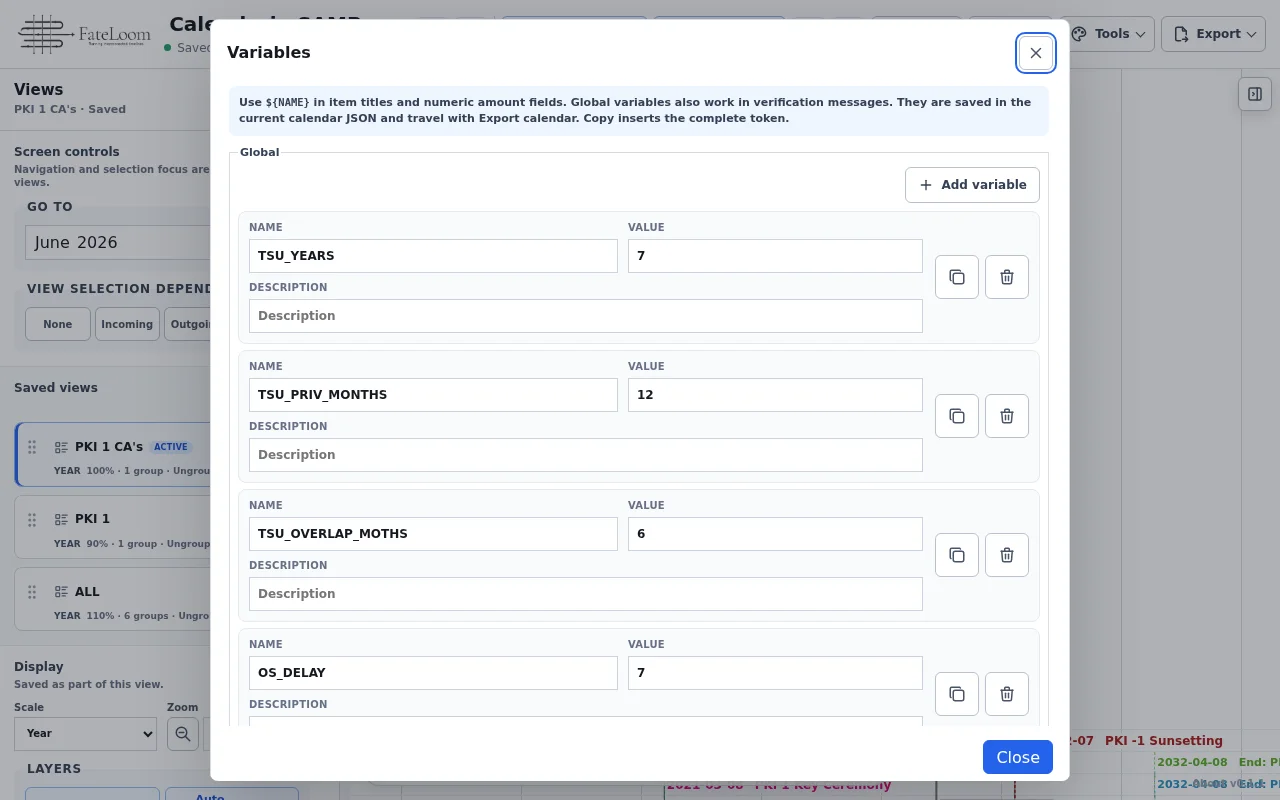
Create global variables and insert tokens such as ${NAME} into item titles and numeric amount fields. Item variables, aliases, and date variables keep repeated planning facts explicit and portable.

  • Global and item-level variables
  • Reusable aliases and date tokens
  • Stored inside the calendar JSON
FateLoom Variables dialog showing reusable global planning values

Reusable values travel with the calendar.

06

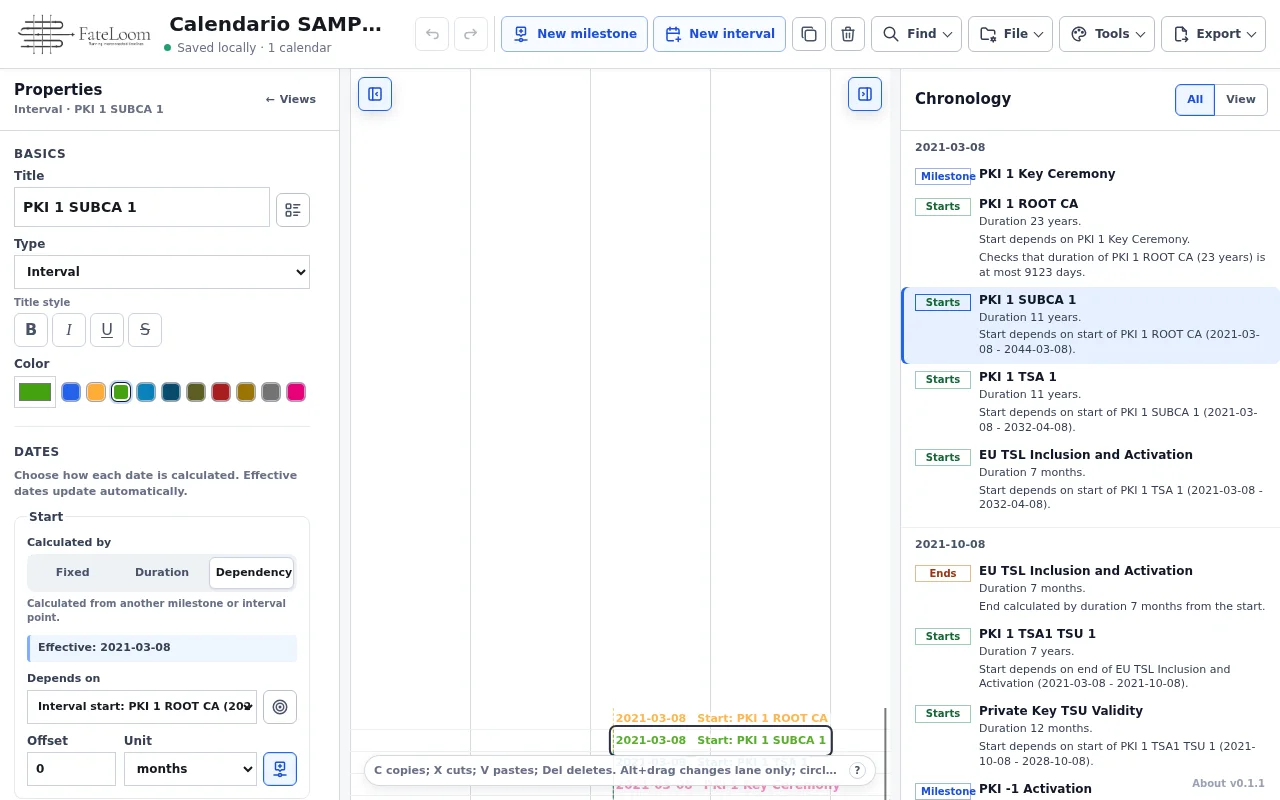
Read the plan as a chronology

Move between the diagram and the story.

Open the chronological panel for a date-first reading of milestones, starts, and endings. Select an entry to return to its exact place on the visual timeline.

  • All items or current view
  • Click-to-navigate entries
  • Markdown chronology export
FateLoom Chronology panel beside the corresponding visual timeline

Navigate from a dated entry back to the diagram.

07

A local library, under your control

Your planning stays in this browser.

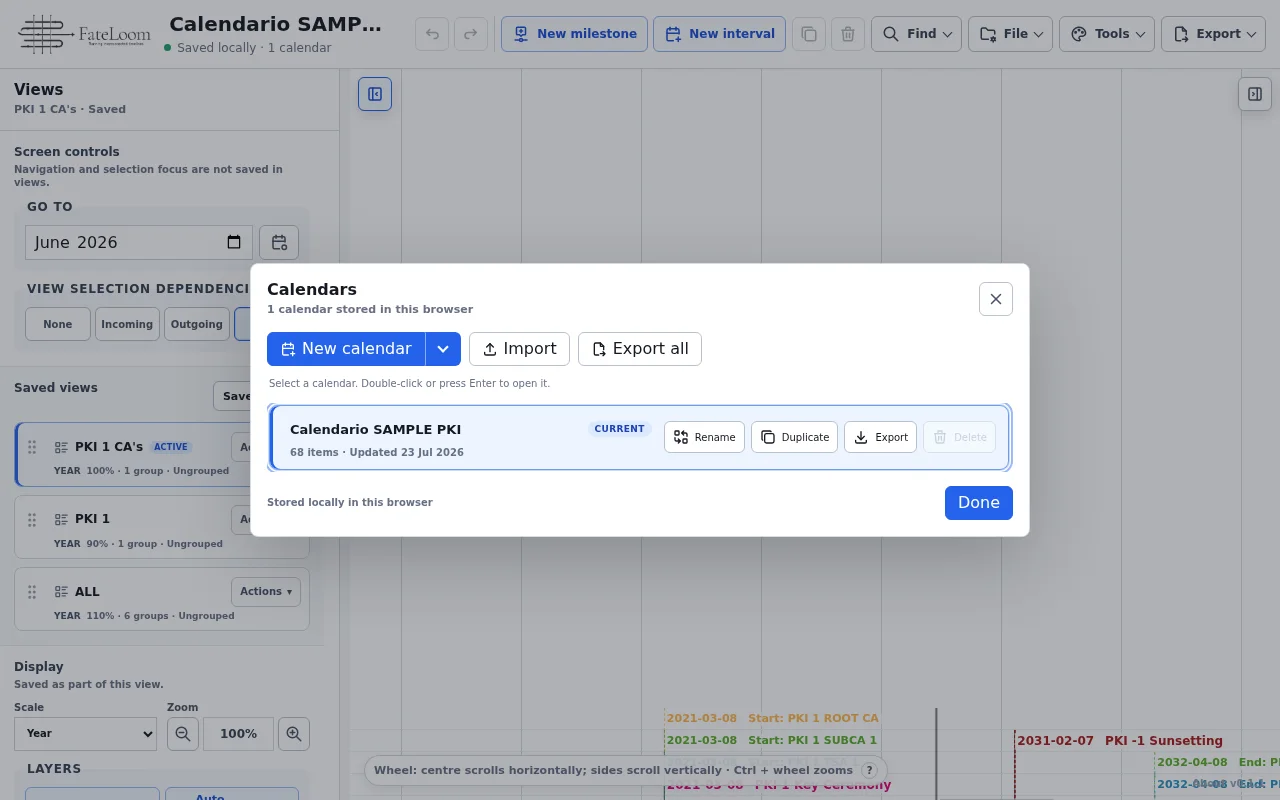
Keep independent calendars in a local library, switch between them, and create portable JSON backups when you choose. FateLoom has no account, synchronization service, or hidden network dependency.

  • Multiple local calendars
  • Portable JSON backups
  • Validated imports and recovery
Calendar Manager showing a local library of FateLoom calendars

Separate calendars, one local workspace.

08

Take the result with you

From working canvas to shareable artifact.

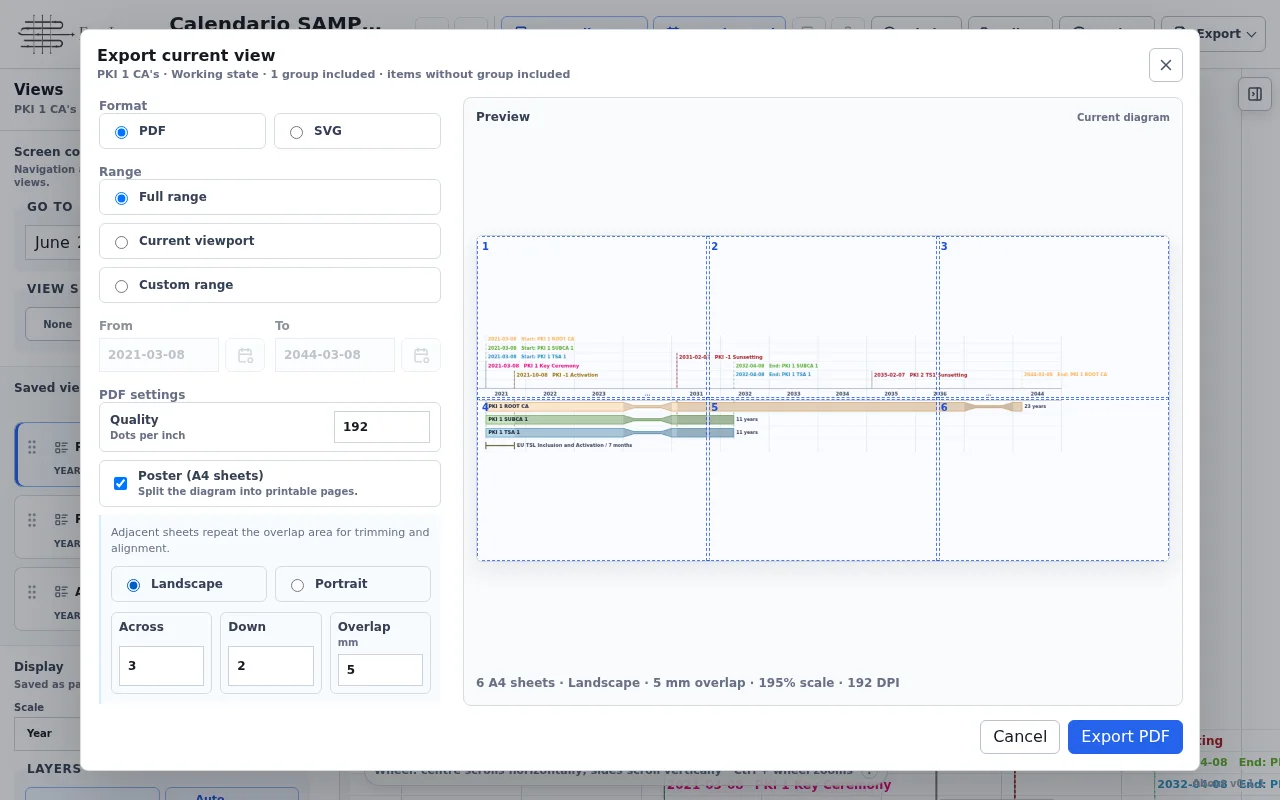
Export the current plan as PDF, SVG, or PNG, create poster-ready PDF sheets, or download the chronology as Markdown. Rendering stays local and excludes transient selection state.

  • PDF, SVG, and PNG diagrams
  • Poster layout with overlap
  • Markdown chronology
FateLoom export dialog showing a poster-ready PDF preview

Choose the range, format, and print layout.

02 / LOCAL-FIRST

Nothing leaves
unless you export it.

Calendars are stored in your browser. FateLoom does not require an account, does not synchronize data, and does not make automatic network connections.

0remote requests
1browser workspace
ways to see the plan

Ready when you are

Turn dates into
a plan you can follow.

Open the demo calendar, explore the timeline, and keep anything you create locally.

Open FateLoom